Systems & websites
- 12 min read
- Andres S.
Elements of an outstanding business website, plus web design tips
The elements every outstanding business website needs, from a clear message and easy navigation to speed, trust and accessibility, plus practical web design tips for homepages and landing pages.
- 12 min read

An outstanding business website tells visitors straight away what you do and who it’s for, works smoothly on a phone, loads quickly, earns their trust and makes the next step obvious. When those elements are in place, your website becomes the place where your marketing turns into enquiries, bookings and sales. Below you’ll find the elements that matter most, followed by practical web design tips to put them into practice.
Why does your business need a website?
Social media profiles and directory listings are useful, but you don’t control them: the platform sets the rules and decides who sees your posts. Your website is the one place online that’s entirely yours, and it does several jobs at once.
- It presents what you offer. Your products and services, prices or how you quote, opening hours, locations and delivery options all live in one place.
- It’s open around the clock. Customers can check details, compare options and get in touch when it suits them, even when your doors are closed.
- It builds credibility. Many people look a business up before they buy. A professional site with reviews, case studies and real contact details reassures them that you’re the right choice.
- It brings in sales and enquiries. Whether you sell online or take bookings, quote requests or calls, a good website keeps doing that work while you focus on the business.
- It anchors your marketing. SEO, Google Ads, social media and email all work better when they send people to pages built to convert.
- It’s measurable. Analytics show where visitors come from, what they do and which pages lead to enquiries, so you can see what your website returns.
What are the elements of an outstanding business website?
Whether you’re planning a new site or reviewing the one you have, check it against these ten elements.
1. A clear message
Visitors decide quickly whether they’re in the right place. The top of your homepage, and of every key page, should answer three questions: what do you do, who is it for, and what should I do next?
Use the words your customers use. A plumber’s headline such as “Blocked drains cleared, same-day service” says far more than “Innovative plumbing solutions”.
2. Useful, up-to-date content
Include only content that helps visitors decide, and present it as simply as possible. Long blocks of text drive people away, while too little detail leaves their questions unanswered. Find the balance: short paragraphs, clear headings and the details people need to choose you.
Explain the benefits customers get, not just the features of what you sell. Tell your story, show the people behind the business and back up your claims with case studies and testimonials.
Write the way you’d speak to a customer. Skip industry jargon, use “you” and “we”, and don’t be afraid of contractions: a friendly, conversational tone reads better than stiff corporate language.
Finally, keep it current. Old promotions, wrong opening hours and a blog that stopped years ago all suggest a business that isn’t paying attention. A simple content creation strategy makes regular updates much easier.
3. Clear, simple navigation
Good navigation keeps people on your site and guides them towards an enquiry or a sale. Poor navigation sends them back to the search results. A few principles:
- Keep it consistent. Put your menu in the same place, in the same order, on every page.
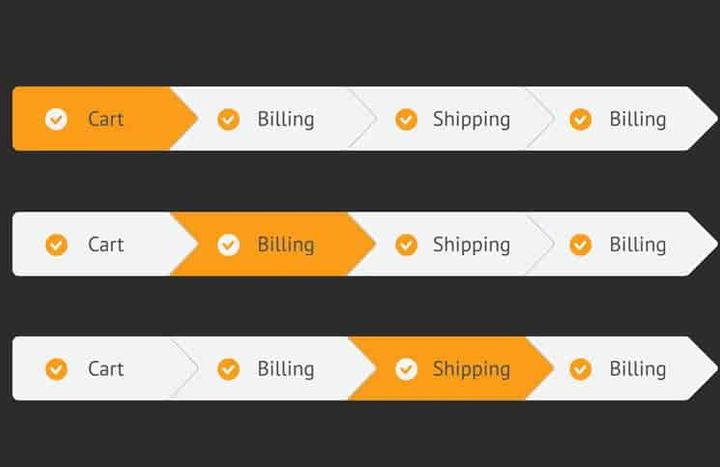
- Use labels people understand. “Services”, “Pricing” and “Contact” beat clever or cryptic names. People should know what they’ll find before they click.
- Group related pages. Separate categories from subcategories visually, and make category headings clickable links too.
- Keep key information close. Your most important pages should be easy to reach from anywhere. The number of clicks matters less than how obvious each click is.
- Add breadcrumbs on larger sites, so visitors always know where they are.
- Make site search work. If you offer a search box, check that it returns relevant results and copes with misspellings.
Clear navigation and sensible internal links also help search engines discover and understand your pages.
4. A responsive, mobile-friendly design
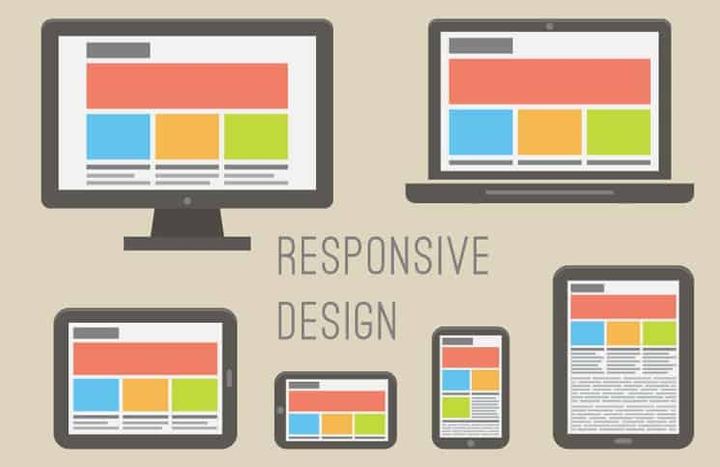
Your site needs to work as well on a phone as on a laptop. Responsive design lets one website adapt its layout, images and text to any screen size, so you don’t need separate versions for different devices. If your current site is awkward on a phone, it’s worth redesigning rather than patching.
This matters for search too. Google uses the mobile version of a site’s content for indexing and ranking (known as mobile-first indexing), and it recommends responsive web design as the easiest pattern to implement and maintain. Don’t neglect large screens either: a good layout uses the extra space well instead of stretching text into long, hard-to-read lines.
We cover the techniques in detail in everything you need to know about responsive design.
5. Speed and performance
People are impatient online, and a slow page can lose them before they see what you offer. Google’s Core Web Vitals give you three measures to aim for, ideally on at least three out of four visits:
- Largest Contentful Paint (LCP): how quickly the main content appears. Aim for 2.5 seconds or less.
- Interaction to Next Paint (INP): how quickly the page responds when someone taps or clicks. Aim for 200 milliseconds or less.
- Cumulative Layout Shift (CLS): how much the layout jumps around while it loads. Aim for 0.1 or less.
Google says Core Web Vitals are used by its ranking systems, although good scores alone won’t put a page at the top: relevant, helpful content still comes first. The quickest wins are usually compressed images in modern formats, fewer heavy scripts and plug-ins, and reliable hosting. You can check any page for free with Google’s PageSpeed Insights.
6. Clean, consistent visual design
Design covers your logo, colours, fonts, imagery and white space. It shapes how people perceive your business before they read a word, so it should be clean, professional and true to your brand.
- Use colour with meaning, for example one strong colour reserved for buttons.
- Leave enough white space for your content to breathe.
- Choose readable fonts and make sure text contrasts clearly with its background.
- Prefer real photos of your team, premises and work over generic stock images.
- Keep every page consistent in layout, style and tone, so the site feels like one coherent whole.
7. Clear calls to action
A call to action (CTA) tells visitors what to do next: call, book, buy, request a quote or subscribe. Every important page needs one main action, made easy to spot through its size, placement and colour.
There’s no single formula that works for every website. Wording that describes what people get, such as “Get my free quote”, tells visitors more than a bare “Submit”. Test the wording, placement and colour with your own audience until you find what works best.
8. Trust and credibility
People are cautious with websites they don’t know, and online scams give them good reason to be. Show that your business is real and reliable:
- Real contact details: a phone number, an email address, a working contact form and your address or service area.
- Reviews, testimonials and case studies from real customers (with their permission).
- An about page with photos of you and your team.
- Correct spelling and grammar, and a design that’s consistent from page to page.
- A secure connection (HTTPS) across the whole site, so browsers don’t warn visitors that your pages aren’t secure.
- A clear privacy policy if you collect personal information.
- Links to the social media profiles you keep active.
9. Accessibility
An accessible website can be used by everyone, including people with disability, and it’s easier for every visitor to use. The W3C’s Web Content Accessibility Guidelines (WCAG 2.2) are the standard to work towards. Start with the basics:
- Add descriptive alt text to meaningful images, especially images that work as links, so screen reader users know what they show or where they lead.
- Make sure text contrasts strongly with its background.
- Check that every menu, button and form can be used with a keyboard.
- Make buttons and links big enough to tap comfortably. At level AA, WCAG 2.2 sets a minimum target size of 24 by 24 CSS pixels, with some exceptions.
- Caption your videos.
10. Built to be found
A beautiful website does little if nobody finds it, so build search engine optimisation into the site from the start:
- Give every page a unique, descriptive title and meta description.
- Use clear headings that reflect what people search for.
- Keep web addresses short and readable.
- Link related pages to each other.
- Set up Google Search Console to see how your site performs in Google Search.
If SEO is new to you, start with what SEO stands for and how it works.
Web design tips to bring it all together
The elements above tell you what to aim for. These web design tips help you get there, whether you’re working with a designer or building the site yourself.

Plan before you design
Start with goals, not colours. Decide what the website should achieve (calls, bookings, quote requests or online sales), who it’s for and which pages you need. Then:
- Choose a domain name that’s short, easy to spell and recognisably yours, so customers can find and remember you.
- Pick your platform. A website builder, a theme on a platform such as WordPress and a custom build each have trade-offs. Our guide to the advantages and disadvantages of website themes can help you choose.
- Arrange reliable hosting. The cheapest hosting can cost you in speed and downtime, so compare options carefully.
- Prepare your content first. Words and images should shape the design, not the other way round.
- Sketch and test a wireframe before moving into visual design and development.
If you plan to sell online, how to start an e-commerce business walks you through choosing a platform and listing your products.
Unless you’re an experienced developer, work with professionals. Redesigning a site that was built badly costs time and money, so it pays to plan properly and build it right the first time.
Make your homepage a gateway
Your homepage is often the first page people see. Treat it as a gateway that quickly points each visitor towards what they came for.
- Write a headline that gets to the point, so visitors know they’re not wasting their time by reading on.
- Lead with benefits. Tell people how your products or services will make their life or work better, not just what they include.
- Show social proof early: reviews, client logos, case studies or short testimonials.
- Signpost the main paths, such as your services or products, current offers, helpful content and your story.
- Make contact easy, with up-to-date details that leads can actually use.
- Use images and video that explain rather than decorate, and keep file sizes small so the page stays fast.
Build focused landing pages
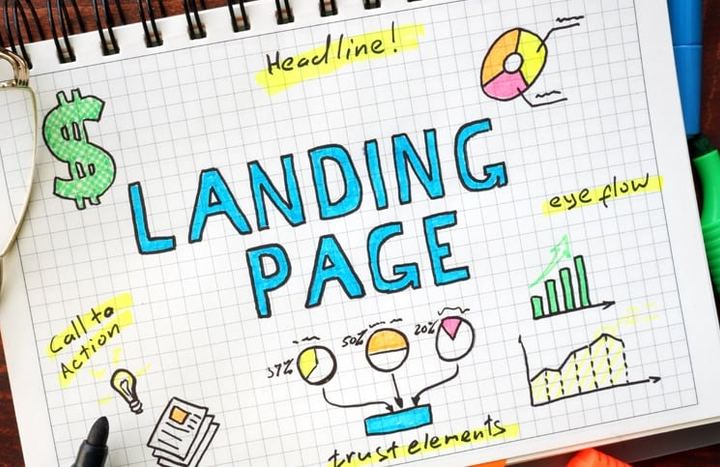
A landing page speaks to one audience about one thing, which makes it more targeted than your homepage. Create a dedicated page for each key product, service or campaign, and point your ads and emails to it rather than to the homepage.
- Use an actionable headline that matches what brought the visitor there and tells them what they’ll get.
- Match the buying stage. People who are just exploring want a quick list of benefits. People comparing options want case studies and testimonials. People ready to act want a clear “Get a quote”, “Book a demo” or “Start free trial” button.
- Make it scannable. Many visitors scan before they read, so put the main idea first, use descriptive headings and group related points.
- Shorten the path to conversion. Every extra step or form field gives people a reason to drop out, so ask only for what you really need.
- Make the call to action compelling and easy to find. It’s the last step, not an afterthought.
- Keep new leads engaged with a thank-you page that offers a useful next step, like a guide, a case study or a video.
- Test, don’t guess. A/B test headlines, offers, images and calls to action, and let the results decide.
Make your website social media friendly
Social media and your website work best together: social posts bring visitors in, and your site turns them into customers.
- Link to your profiles in the header or footer, but only the ones you keep active, whether that’s Facebook, Instagram, LinkedIn, X (formerly Twitter) or Pinterest.
- Make sharing easy with share buttons on articles and products, and check that they don’t cover content on small screens.
- Control how your links look when shared. Give each page a clear image, title and description for social previews (your developer can set these with Open Graph tags), and choose images that still work as small thumbnails.
- Be selective with embedded feeds. Social widgets can slow pages down, so only embed a feed you update regularly.
- Create content worth sharing. People share what they find useful or interesting, so notice which topics get shared and do more of those.
- Test on your phone. Tap through your social links and share buttons on a real device to make sure they work.
Keep it fresh and keep testing
A website is never really finished. Review your key pages regularly, update details as soon as they change and remove anything out of date, so good information doesn’t get buried.
Use analytics to see which pages attract visitors, where people drop off and which paths lead to enquiries. Then test changes one at a time with your real audience, and keep what works.
Web design mistakes to avoid
- Walls of text with no headings or white space.
- Cryptic menu labels that make people guess.
- Pop-ups and banners that cover content on phones.
- Contact details that are hard to find or out of date.
- Large images and heavy plug-ins that slow every page down.
- Forms that ask for more than you need.
- A site that only gets attention when something breaks.
If you’re planning a new website or your current one needs a revamp, we can help you build a site that’s fast, clear and connected to the tools you already use. See how we approach websites and digital systems.
Want your software to finally work together?
Book a 30-minute chat. Bring the tools you use today, and we’ll tell you straight whether your setup is worth fixing.
Get the monthly notes
One email a month: what we automated, what broke, and what we’d do differently.